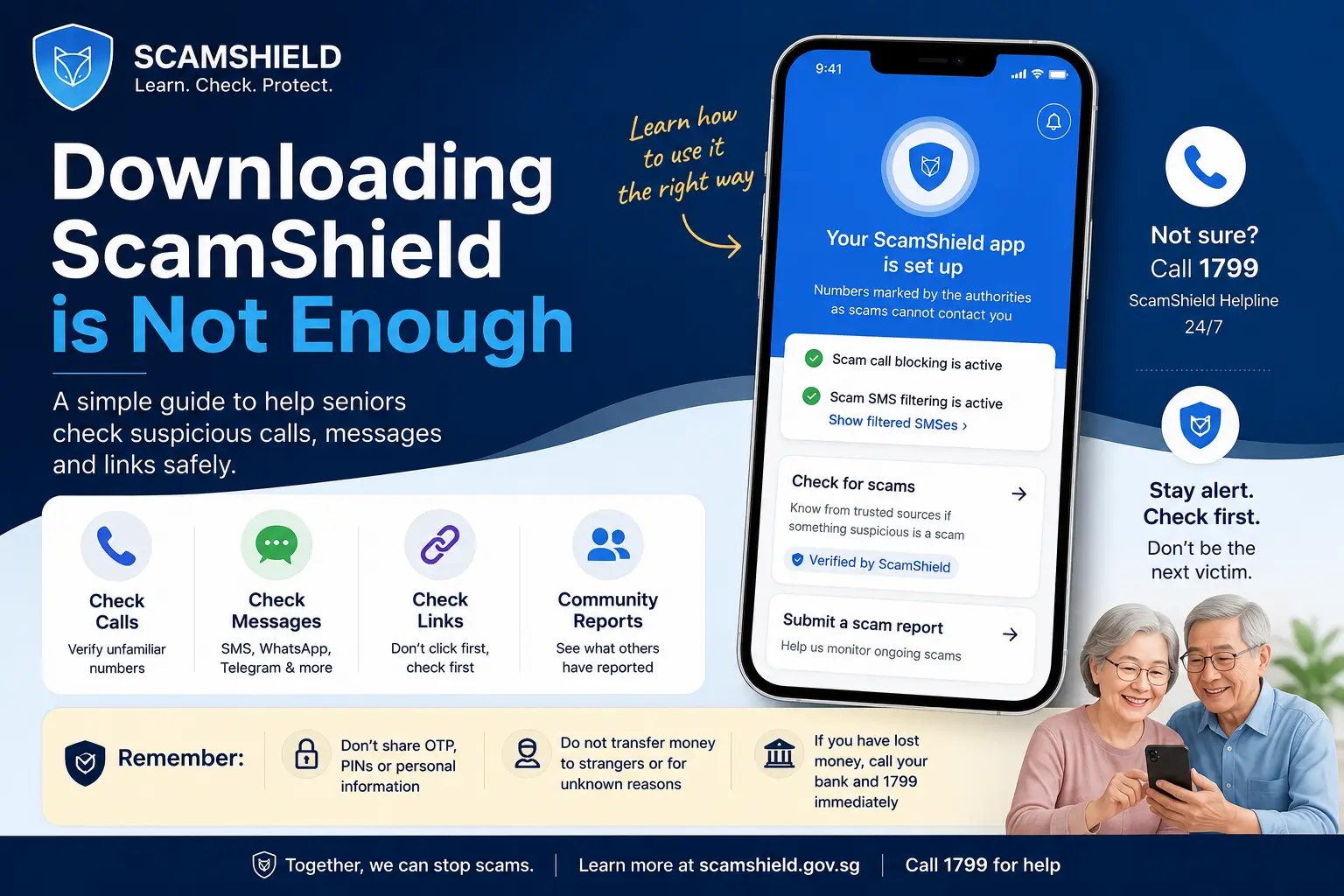
Why This Matters for Seniors
Many seniors are told to download ScamShield, but downloading an app does not automatically mean a person knows how to use it confidently during a stressful moment.
When a suspicious call or message arrives, a senior may feel anxious, confused or pressured. Some may pick up the call. Some may ignore it. Some may not know whether to check, report, call someone, or delete the message.
This is why scam awareness must go beyond slogans. Seniors need simple, patient and practical guidance.
Check First, Do Not Panic
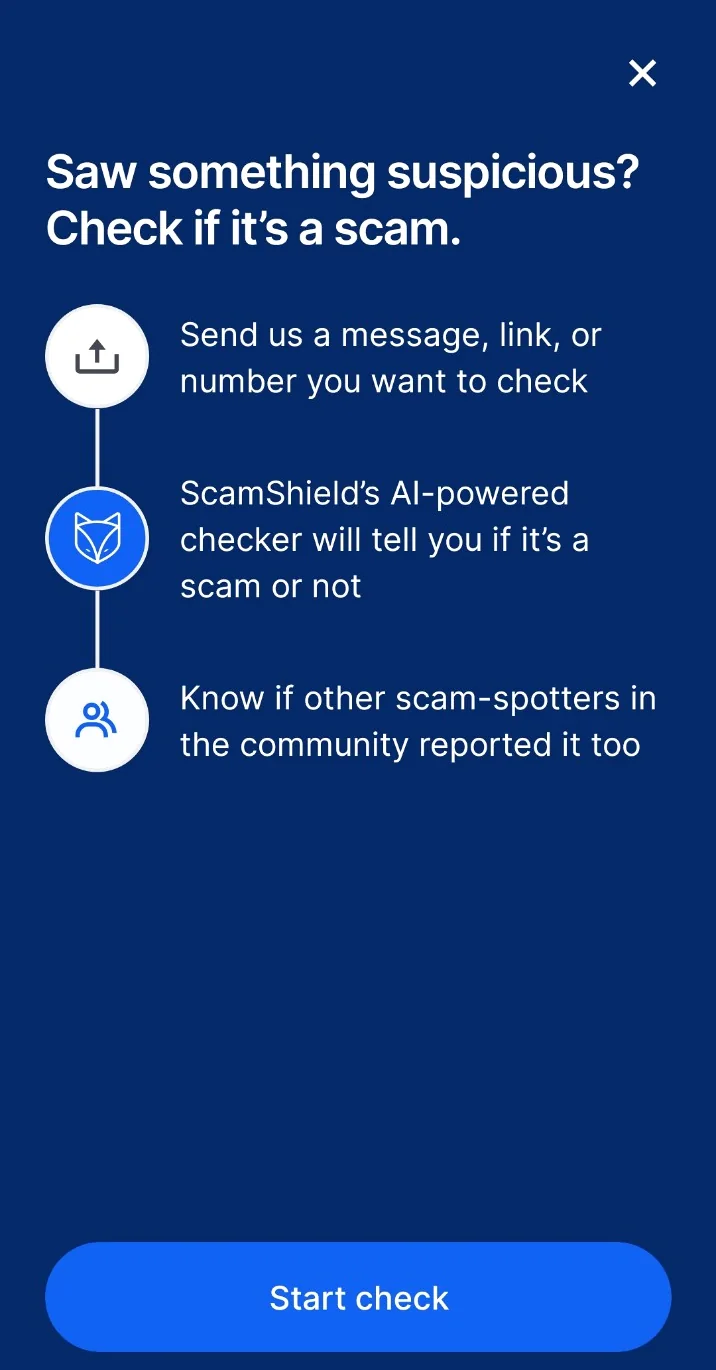
ScamShield provides a way to check suspicious items such as a phone number, message or website link. For seniors, the safest habit is:
Pause
Do not rush. Scammers often create fear or urgency to make people act quickly.
Check
Use ScamShield to check the number, message or link before replying, clicking or calling back.
Verify
If unsure, call 1799 or verify through the official organisation’s published contact channel.
Check vs Report: They Are Not the Same
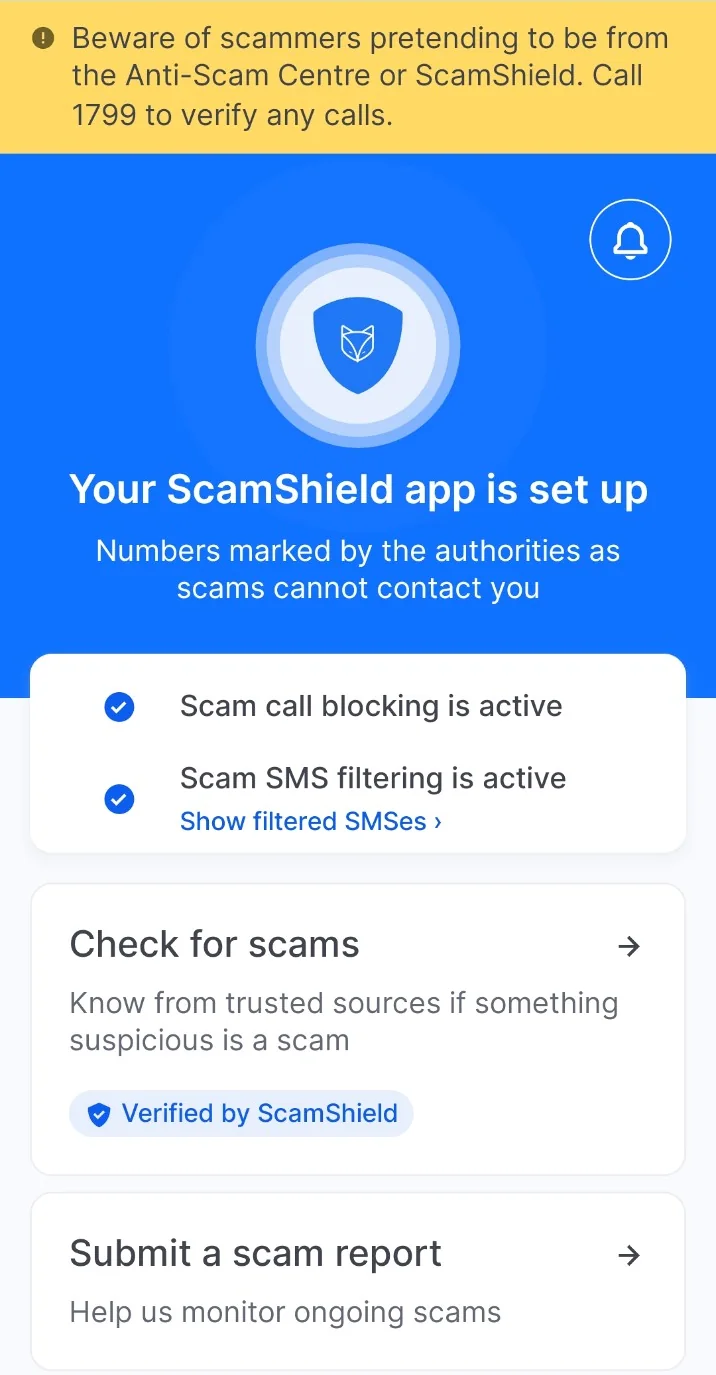
Use “Check for scams” when unsure
Use this when a senior receives an unfamiliar number, suspicious message or website link and wants to check before taking action.
Use “Submit a scam report” when there is enough information
A report is more suitable when there are details of a suspected scam encounter, such as message content, screenshots, caller details or suspicious instructions.
Important: if a call was unanswered, do not force details or guess what happened. Check the number if possible, stay cautious, and call 1799 if unsure.
Simple Rules Seniors Can Remember
- Do not share OTP, Singpass details, bank login details, card details or PINs over a call or message.
- Do not transfer money because a caller sounds urgent, official or threatening.
- Do not trust a number just because it looks local. Local-looking numbers can still be spoofed.
- Do not click suspicious links first. Check the link before acting.
- If unsure, pause and call 1799 for scam-related checking and guidance.
- If money has been transferred or banking information has been exposed, call the bank immediately.
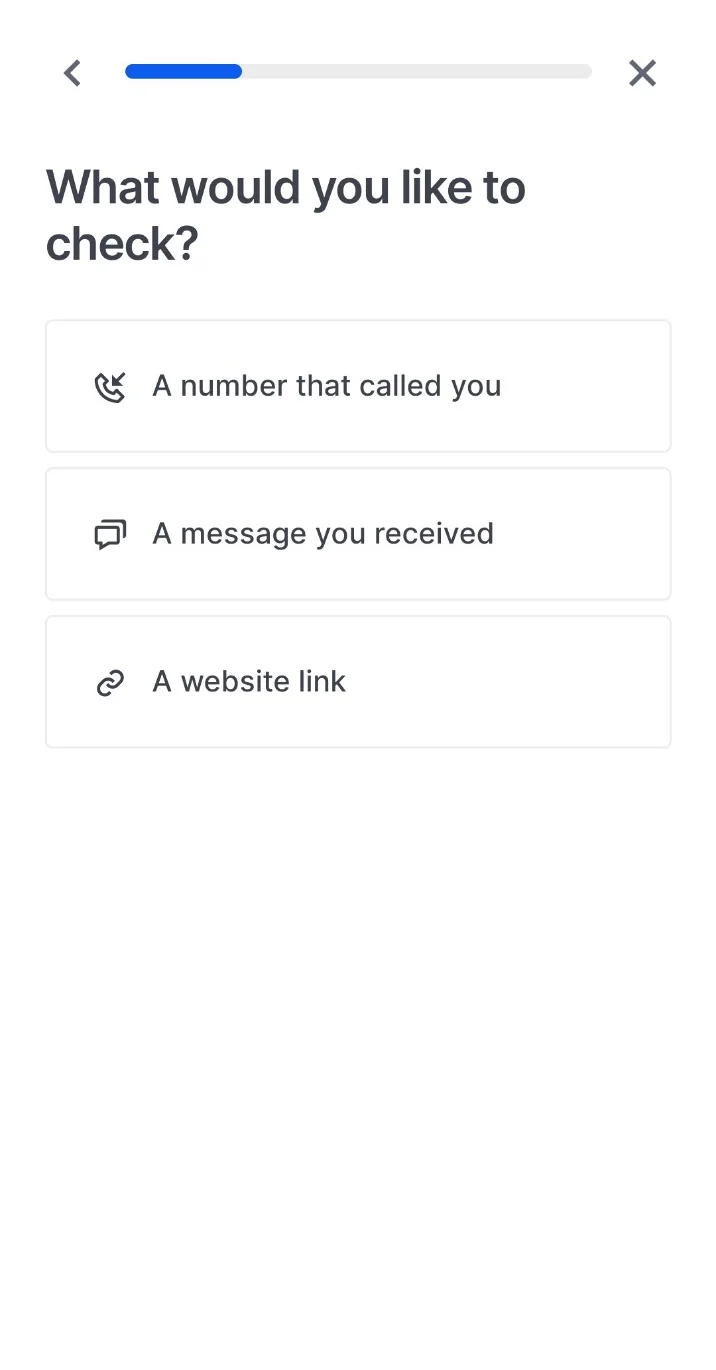
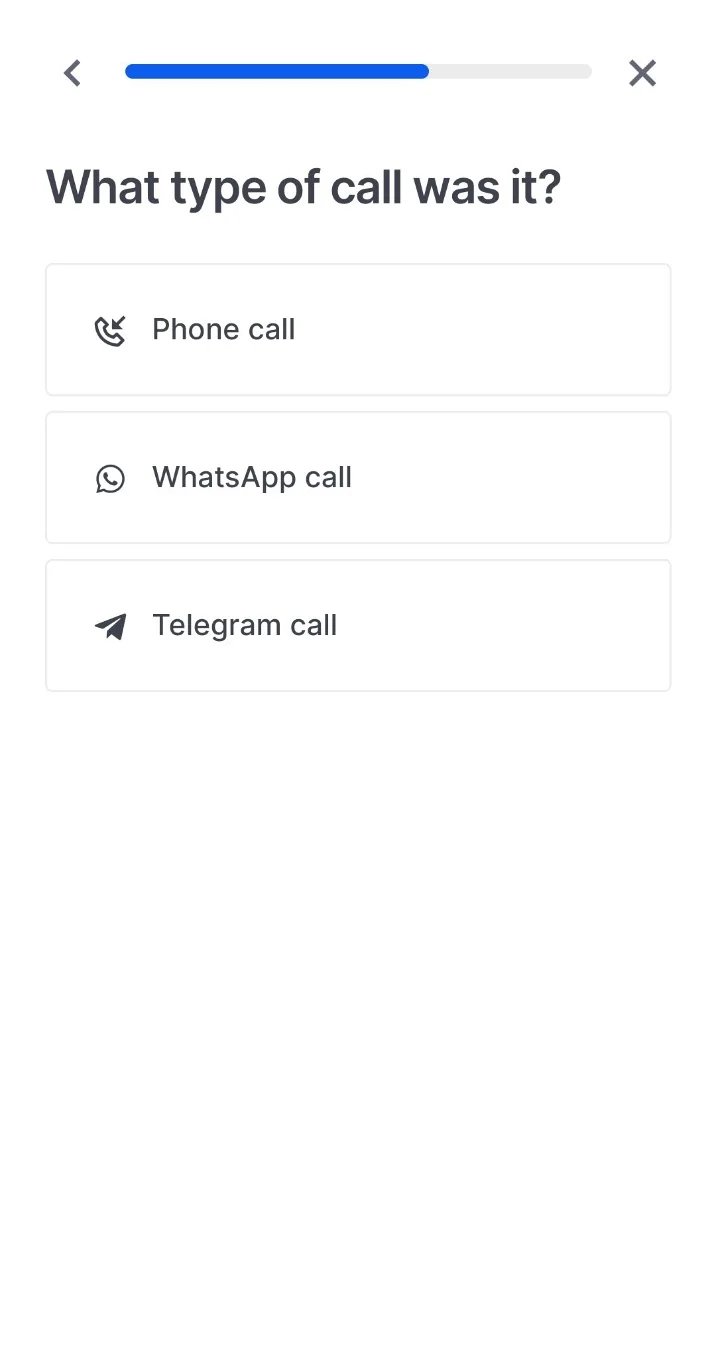
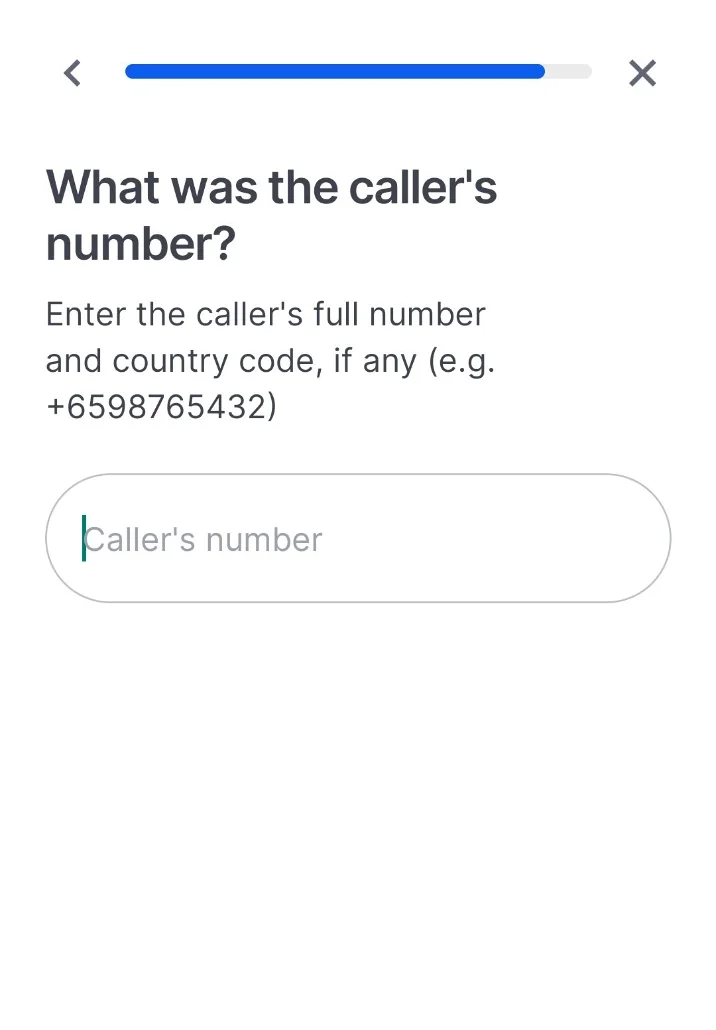
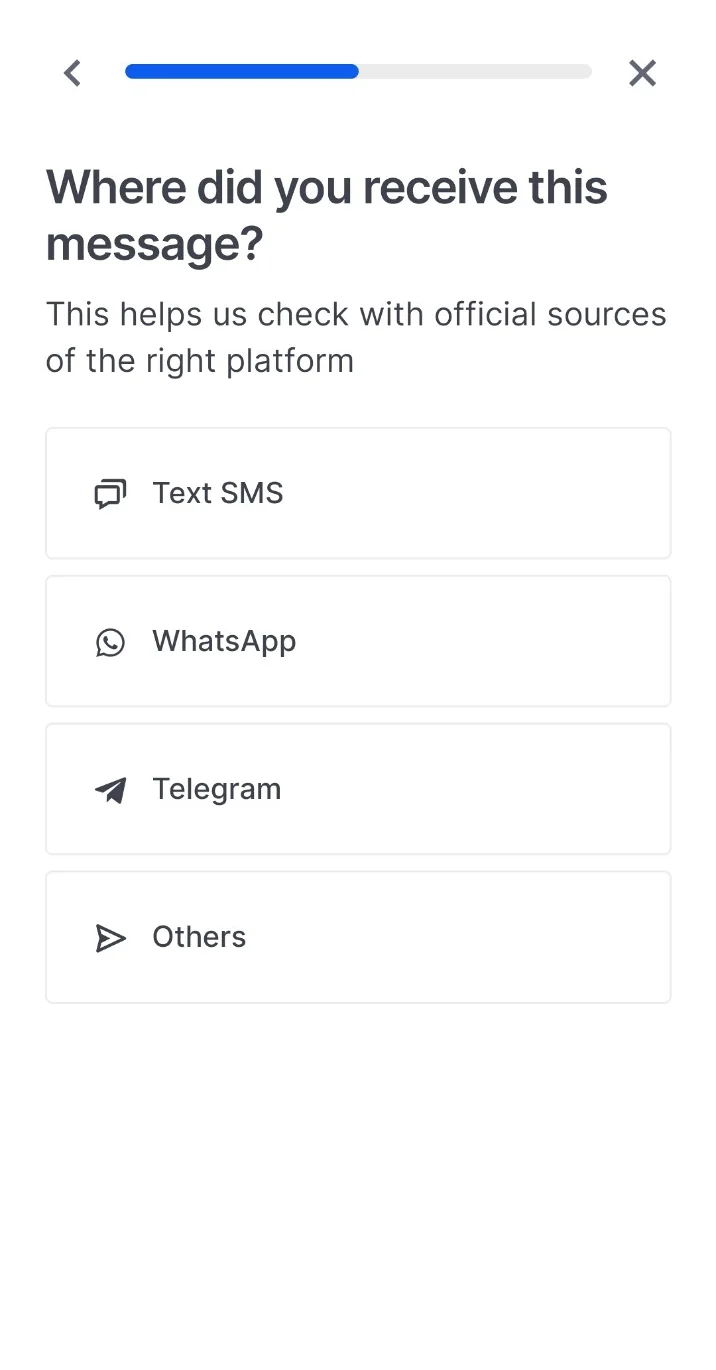
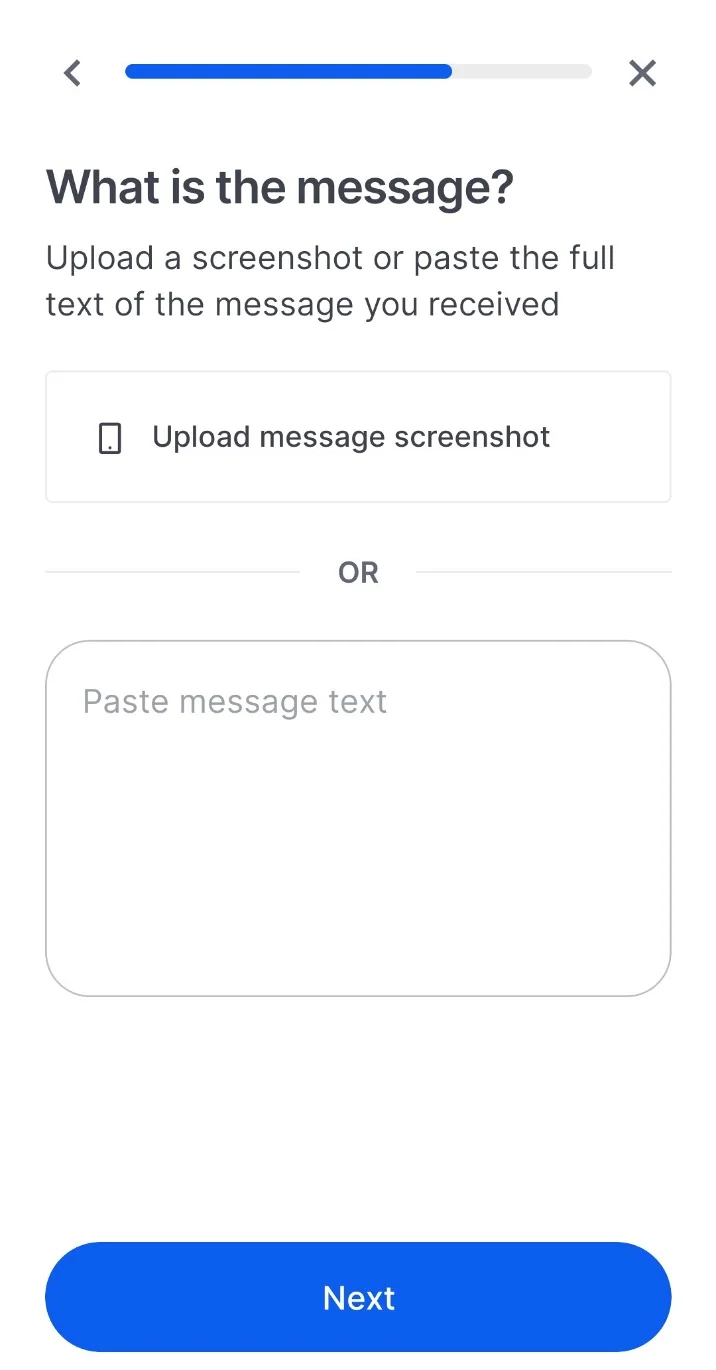
Step-by-step: how to guide a senior through ScamShield
Use these steps slowly. A family member, caregiver, volunteer or community helper can sit beside the senior and practise the flow before a real scam situation happens.
Do not judge by the first digit of the number alone
A number can look local and still be suspicious. A number that starts with 6, 8, 9 or 3 should not be treated as automatically safe or automatically fake.
The safer rule is simple:
- Do not share OTPs, Singpass details, bank login details, NRIC details, card information or PINs over a phone call or message.
- Do not transfer money because a caller sounds urgent, official or threatening.
- Do not click a suspicious link first. Check before acting.
- Hang up and call the organisation’s official hotline if you need to verify.
- Call 1799 when unsure whether something is a scam.
A Helpful Family Routine
Families can help seniors by doing a short practice session instead of only saying, “Just download ScamShield.”
- Open the ScamShield app together.
- Show where to tap “Check for scams”.
- Explain the difference between checking a number, checking a message and checking a link.
- Practise what to do when a suspicious SMS, WhatsApp message or phone call appears.
- Save 1799 clearly in the senior’s phone as “ScamShield Helpline 1799”.
- Remind them to call a trusted family member before making any money transfer.
For Community Leaders, Volunteers and Caregivers
A senior may have the correct app installed but still lack confidence when using it alone. This is not a failure. It is a reminder that digital safety requires repeated guidance, not one-time instruction.
A good community message is: “Do not just download. Learn how to check, verify and ask for help.”
Stay Alert. Check First. Ask for Help.
Scam prevention is not only about technology. It is about calm thinking, patient guidance, family support and knowing the right help channels.